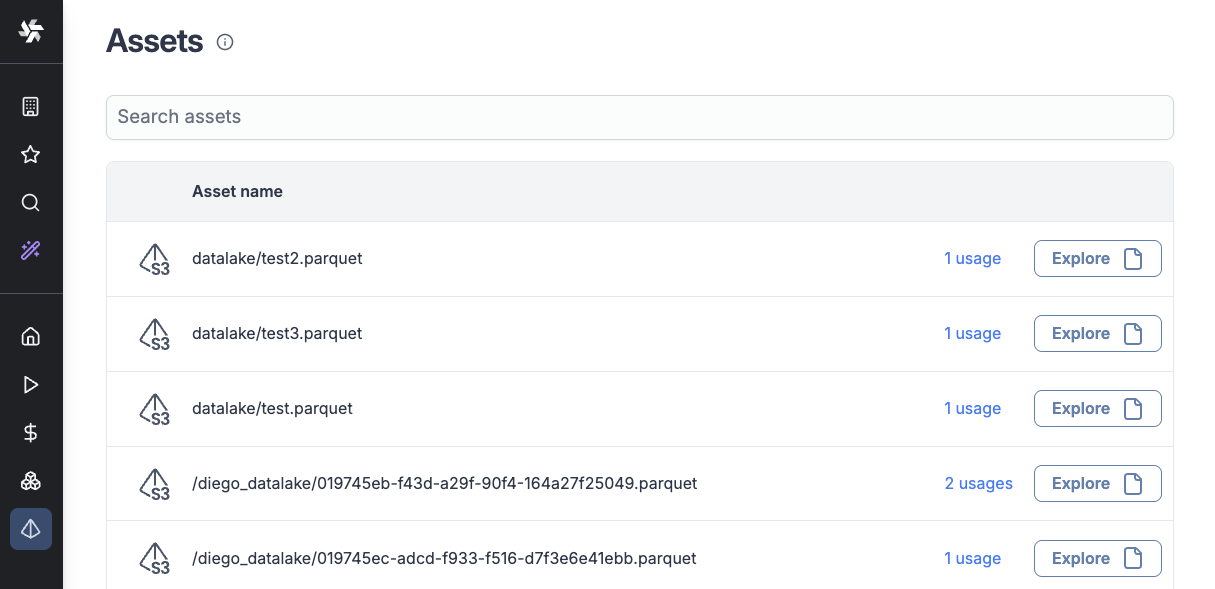
Assets
Assets are designed to track data flows and visualize data sets, automatically detecting when you reference them in your code. Assets can be detected both during static code analysis and at runtime. Assets are referenced with URIs and include:
- S3 objects : s3://storage/path/to/file.csv
- Resources : res://path/to/resource
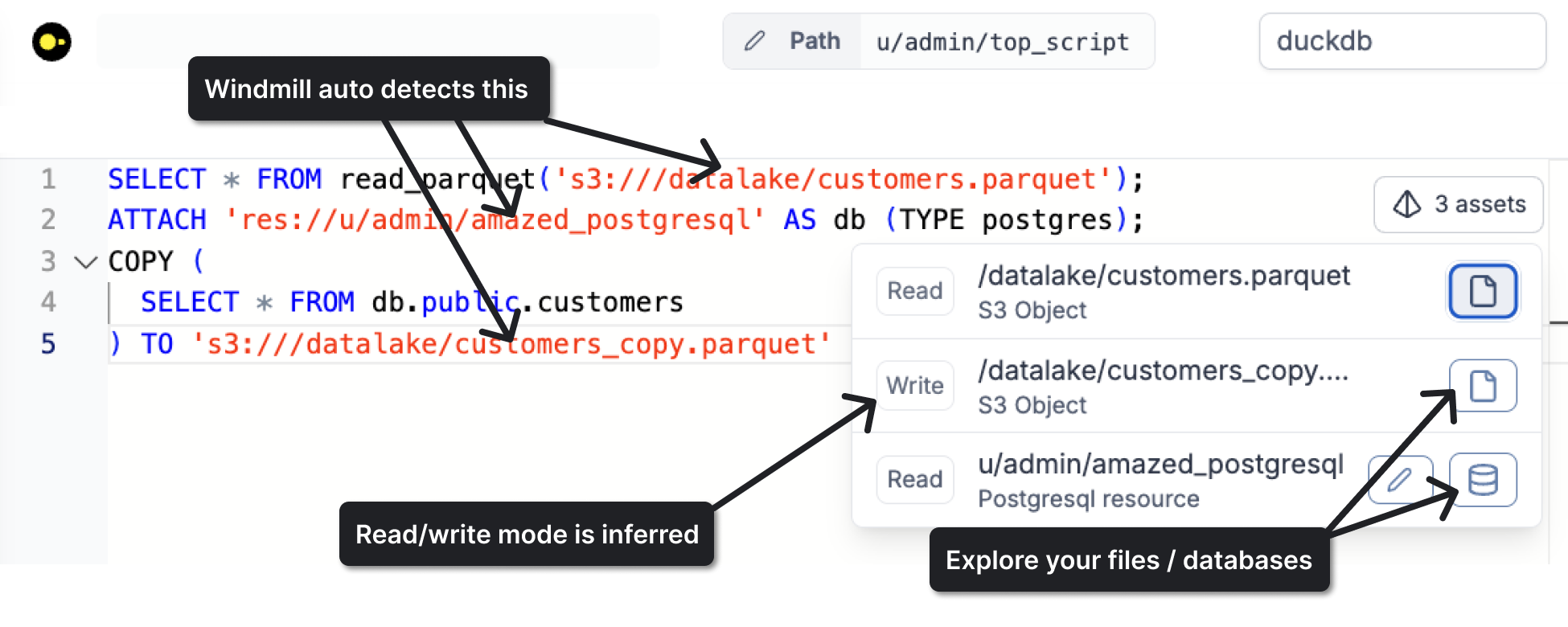
As of writing this, assets are supported for the following languages:
When the asset is a database resource or an S3 file, an explore button will appear next to the asset with access to the database manager.
Asset detection
Assets are detected in two ways:
Static code analysis
Assets are detected during deployment when they are referenced directly in your code. The Read / Write mode is inferred from code context. For example, a COPY (...) TO file statement is always Write. Sometimes the Read / Write mode cannot be inferred, in which case you are able to manually select it.
Runtime detection
Assets can also be detected at runtime in two ways:
- When using an SDK function - For example, when using
wmill.datatable()or when reading/writing S3 objects. In this case, Windmill can track which jobs accessed which asset and whether it was a Read or Write operation. - When passing a resource as a job argument - Resources passed as job arguments are automatically detected as assets at runtime.
You can use the Add Resource / S3 Object buttons in the editor bar for convenience :
The python and Typescript/Javascript clients now support the new URI syntax :
wmill.get_resource('res://path/to/resource')
wmill.load_s3_file('s3://storage/path/to/file.csv')

# Not using the URI syntax still works for back-compatibility,
# and is detected as an asset
wmill.load_s3_file('storage/path/to/file.csv')
Asset nodes in flows
In flows, your assets will show up as asset nodes, making data flow easy to visualize :
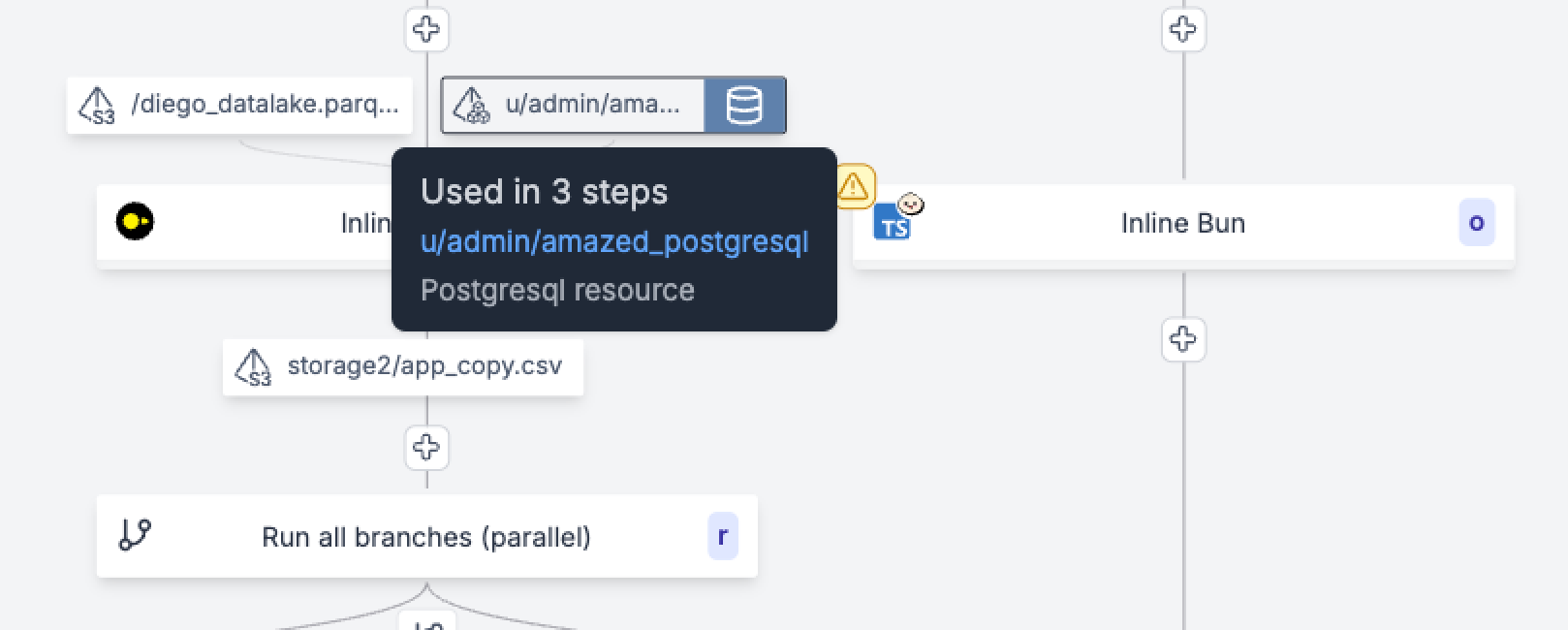
The Read/Write mode is used to show the asset as an input or output node.
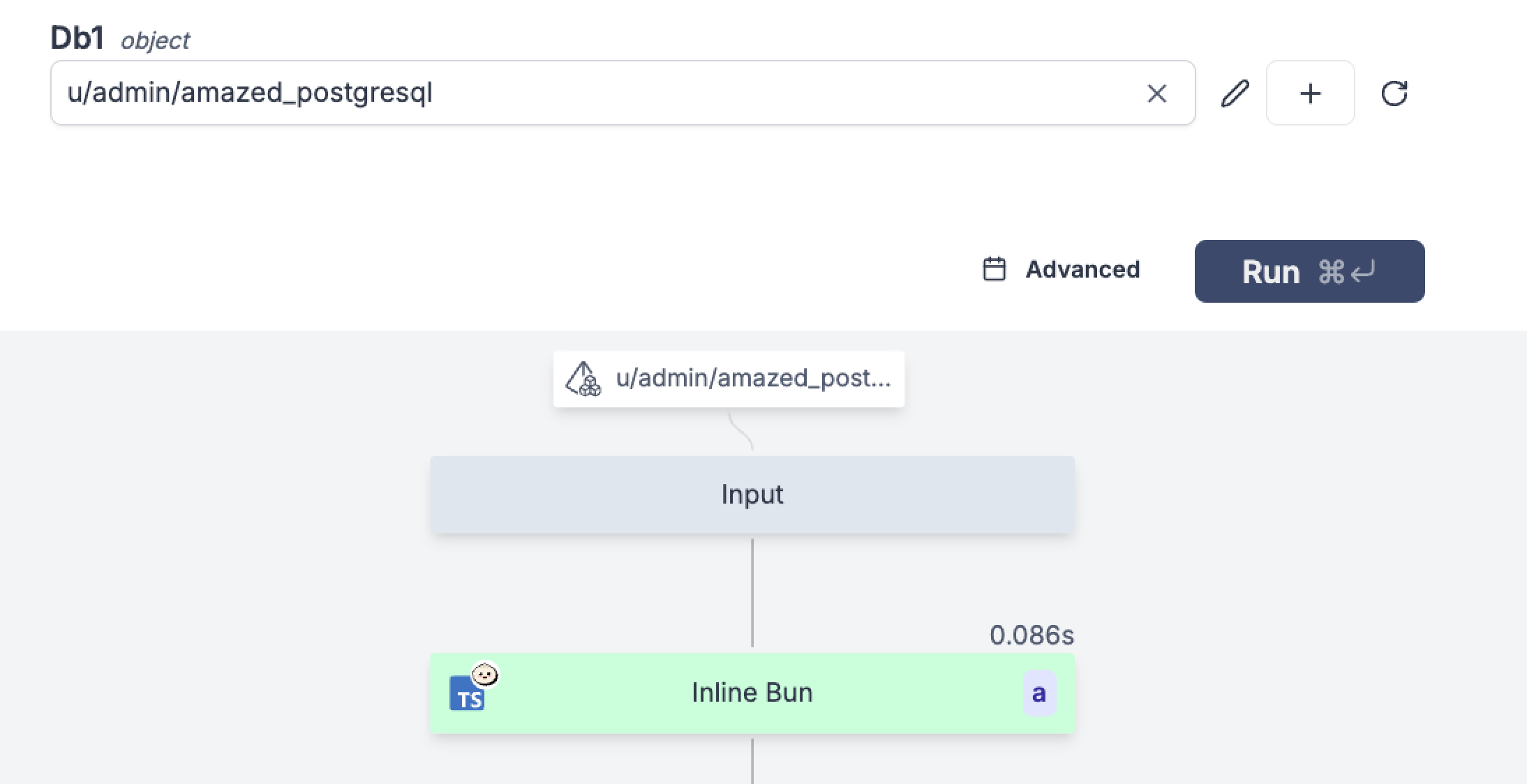
When running a flow and passing an asset as an input, it will appear as an input of the flow in the preview graph :
Tracking where your assets are used
Assets are stored in the database upon script / flow deployment. You can see a list of all assets used in your workspace by going to the Assets tab in the sidebar.
Clicking on the usages link will show the list of scripts and flows that use the asset.